Turn real-world places into downloadable Minecraft worlds.
Terrain and elevation
Minecraft terrain generator from real elevation data
Use MaptoCraft's Minecraft terrain generator to recreate hills, valleys, cliffs, and coastlines from real elevation data. This guide compares flat and terrain modes, explains safe first-run sizes for Java and Experimental Bedrock, and shows how height scale and smoothing affect the result.
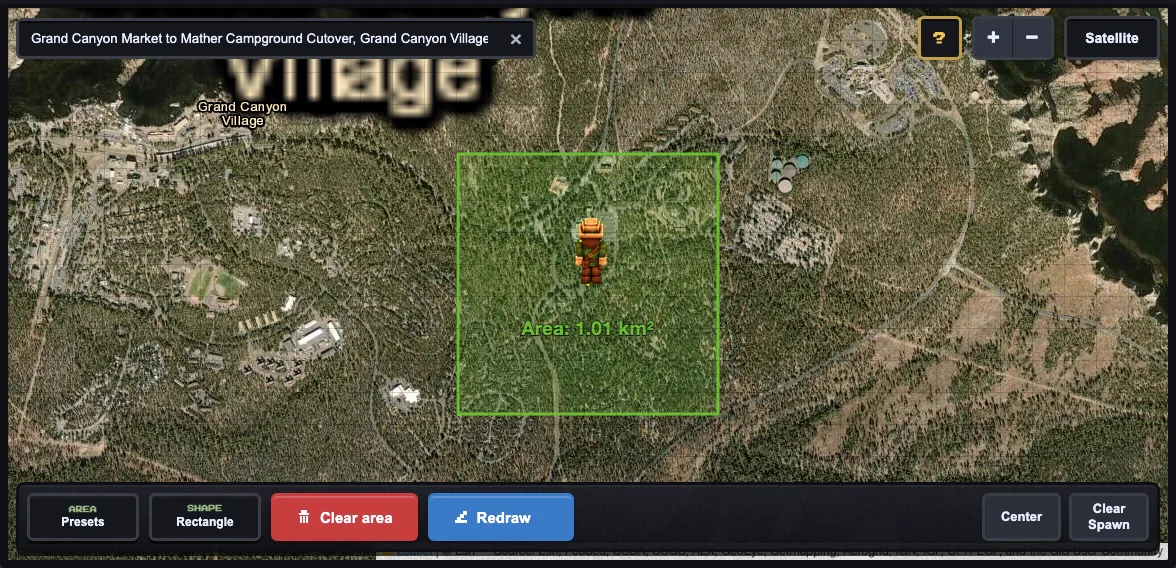
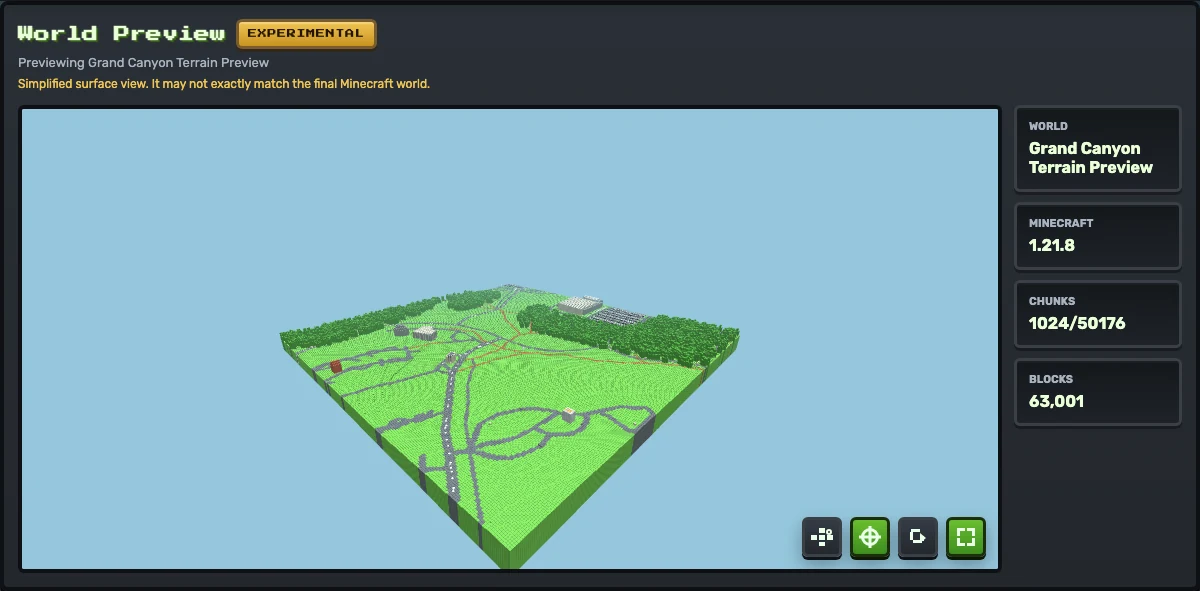
A small Grand Canyon terrain map selection. Keep the first terrain run focused so elevation tile fetching and browser memory stay manageable.Generated preview from that small Grand Canyon terrain test. Terrain mode is worth using when the surface shape matters, but the preview should still be checked before downloading the world.
Flat generation versus terrain generation
Flat generation focuses on the map layout: streets, buildings, paths, water, and other supported features. It is the fastest way to check whether the source data is useful. Terrain generation adds elevation data so the surface better reflects the real-world shape of the selected area.
The tradeoff is speed and reliability. Terrain requires extra elevation tile requests and more browser processing. A selection that is easy in flat mode can become slow or fail in terrain mode if the area is too large.
When terrain is worth turning on
Use terrainCanyons, cliffs, hills, valleys, ridges, coastlines
Usually flat firstDense downtown blocks, campuses, street grids
Keep smallJava: 500 m first · Bedrock: about 250 m first
PreviewCheck spawn and surface shape before download
If the place is recognizable because of its elevation, use terrain. If the place is recognizable because of buildings and roads, generate it flat first. This saves time and separates two questions: does the map data produce a useful layout, and does elevation improve that layout?
First terrain settings to try
Area size
Java can start with Tiny 500 m. Experimental Bedrock terrain should start around 250 m or smaller at scale 1.
Scale
Keep scale at 1 for terrain tests. Higher scale multiplies the final world size.
Terrain height scale
Start at 1. Lower it if slopes feel exaggerated; raise it only when the world feels too flat.
Terrain smoothing
Start at 1. Use 0 for sharper terrain detail or 2-4 for softer transitions.
Spawn height
Use the preview to confirm safety. Custom spawn height is Java-only; Bedrock automatically chooses a terrain-safe height.
Java and Experimental Bedrock terrain differences
Java
Larger browser limits, custom spawn height and facing, and a ZIP installed on Windows, macOS, or Linux.
Bedrock Experimental
Smaller terrain-chunk limit, automatic safe spawn height, and an intact .mcworld imported on Windows/mobile or transferred to consoles through a Realm.
Bedrock import compatibility can vary by Minecraft version and device. Keep the .mcworldintact and see the platform and import guide.
A practical terrain testing sequence
Generate the same area flat first if roads, paths, or buildings matter.
If the flat layout is useful, turn terrain on and keep the area small.
Use height scale 1 and smoothing 1 for the first terrain run.
Preview the world and inspect the spawn area before downloading.
Change one setting at a time so you know what improved or broke the result.
Do not start terrain with the largest area. Terrain failures are slower to discover than flat failures because the browser must fetch and process extra elevation data. Experimental Bedrock terrain should begin with a custom area around 250 m or smaller.
Troubleshooting terrain runs
Generation takes too long: reduce the area first, then lower scale if needed.
Terrain looks too extreme: reduce terrain height scale before changing other settings.
Terrain looks noisy: increase smoothing by one step and rerun a small area.
Spawn is unsafe: move the map point to flatter ground. Only Java lets you raise the custom spawn height.
Large city terrain fails: split the city into smaller hilly districts or use flat mode.
Use terrain when hills, cliffs, valleys, coastlines, or elevation changes are important to the selected place. Keep it off for fast city layout tests.
Why is terrain generation slower?
Terrain mode fetches elevation tiles and runs additional processing, so it is more sensitive to selection size, network speed, and browser memory.
What terrain settings should I try first?
For Java, start with Tiny 500 m, height scale 1, smoothing 1, and scale 1. Experimental Bedrock terrain should start around 250 m or smaller at scale 1 and follow the on-screen validator.
Should I use terrain for large city selections?
Usually not for the first pass. Generate the city flat first, then retry a smaller hilly section with terrain if the layout is worth keeping.
Can I set the same terrain spawn controls in Java and Bedrock?
Both editions use the selected map point, but custom spawn height and facing are Java-only. Experimental Bedrock automatically selects a terrain-safe spawn height.